
Which CAN Node?
All three put your own code on the DroneCAN bus. The difference is how you mount them and how much processing and bus capacity you need.
| Feature | 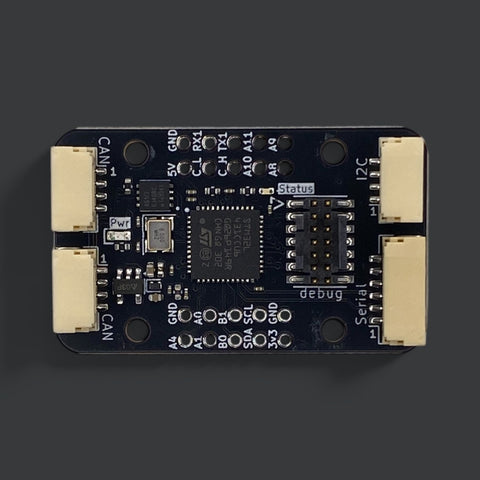 CAN Node
From £25.00
Choose options CAN Node
From £25.00
Choose options | 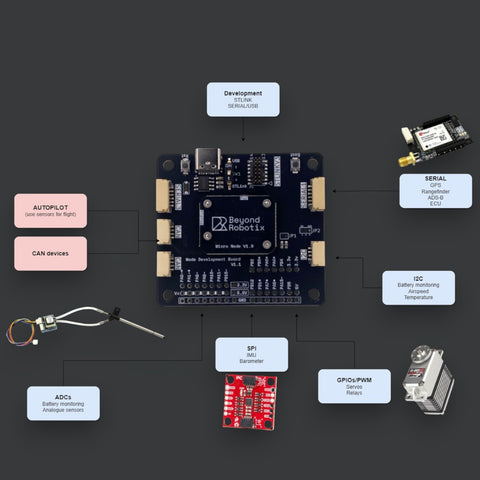 Micro CAN Node Development Kit
From £30.00
Choose options Micro CAN Node Development Kit
From £30.00
Choose options | 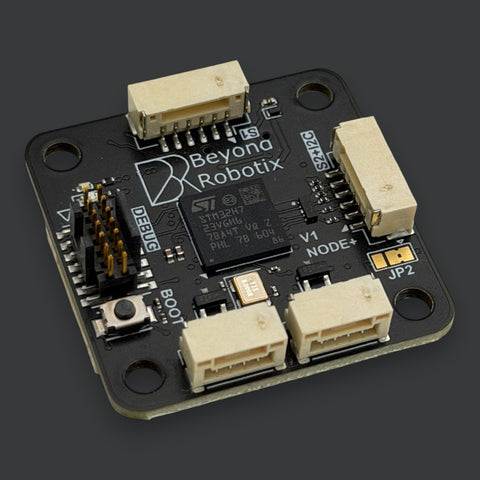 CAN Node Plus
From £72.00
Choose options CAN Node Plus
From £72.00
Choose options |
|---|---|---|---|
| At a glance | |||
| Best for | Wiring sensors onto CAN with everything pinned out | Prototyping, then embedding on your own PCB | Demanding applications across two buses |
| Processor | STM32L431 | STM32L431 | STM32H723, 550 MHz |
| CAN interfaces | 1 | 1 | 2, fully independent |
| CAN FD | ✕ | ✕ | ✓ |
| Runs AP_Periph | ✓ | ✓ | Planned |
| Arduino DroneCAN | ✓ | ✓ | ✓ |
| Redundant power | ✕ | ✕ | ✓ |
| Connectivity | |||
| Pixhawk and Cube JST-GH | ✓ | ✓ | ✓ |
| 2.54 mm breakout header | ✓ | ✓ | ✕ |
| I2C | ✓ | ✓ | ✓ |
| Serial | ✓ | ✓ | ✓ |
| SPI | ✕ | ✓ | ✓ |
| USB-C | ✕ | ✓ | ✓ |
| High-density connector for your own PCB | ✕ | ✓ | ✕ |
| Specifications | |||
| STLINK V3 debug header | ✓ | ✓ | ✓ |
| Dimensions | 38 x 23 mm | 30 x 20 mm node, 54 x 53 mm board | 32 x 32 mm |
Arduino DroneCAN is open source and shared across the range, so code written for one node moves to another. Full details are in the documentation.
CAN Wiring & Accessories
-
Shielded CAN Cable
Regular price From £3.00 GBPRegular priceUnit price per -
CAN + I2C T Junction
Regular price £3.60 GBPRegular priceUnit price per


Build Faster, Integrate Smarter
The Beyond Robotix CAN ecosystem is designed to reduce development complexity and accelerate integration. Instead of dealing with multiple wiring harnesses and fragmented communication methods, developers can use a unified CAN architecture to connect sensors and modules quickly and efficiently.
Minimal firmware complexity
Sensor nodes can be built in under 100 lines of code
Daisy-chain wiring
Scalable and lightweight network expansion
Plug-and-play architecture
Simplify integration across UAV platforms
Consistent communication layer
One bus for all critical system data