


Beyond Robotix
CAN Node
CAN Node
3.0 / 5.0
(1) 1 total reviews
Couldn't load pickup availability
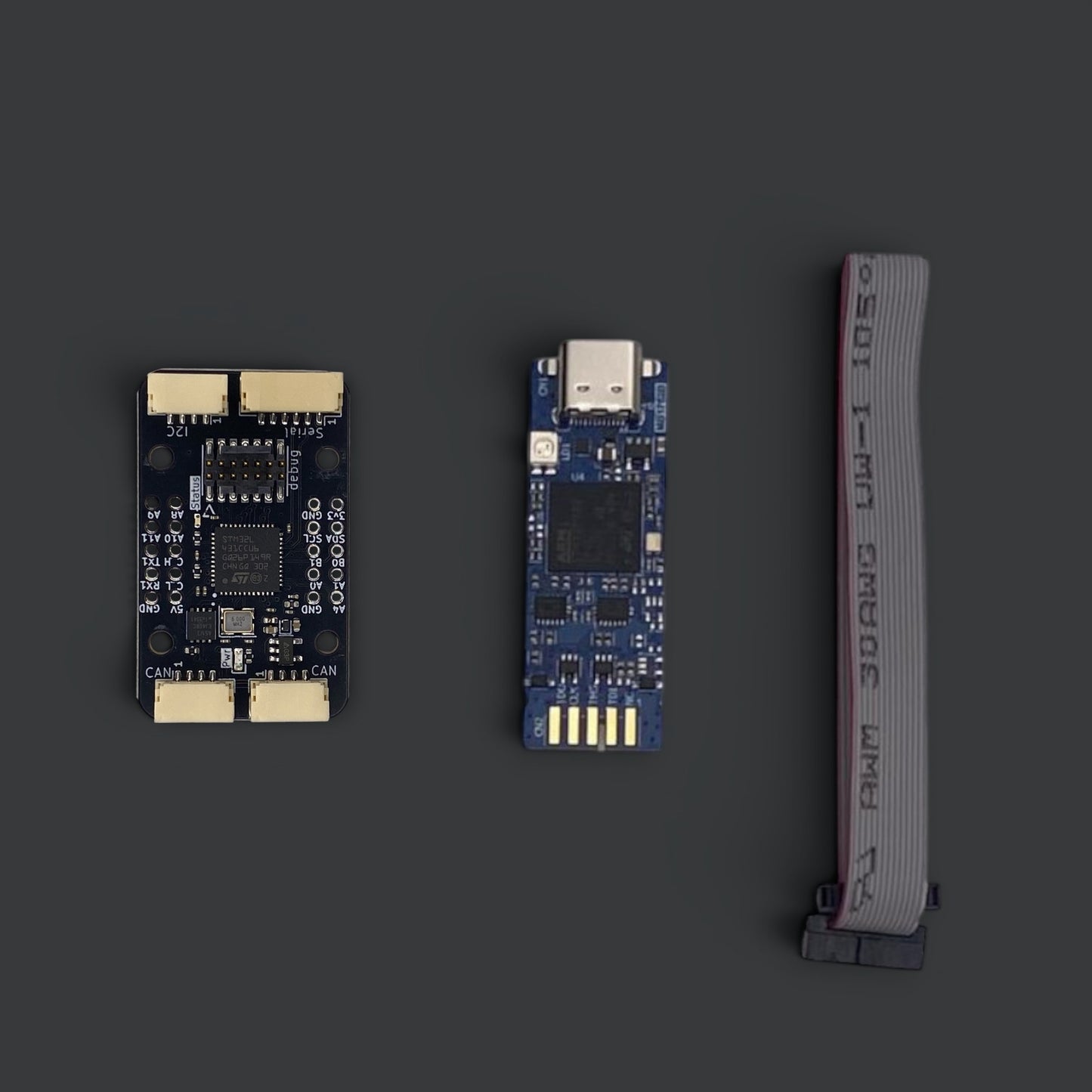
The Beyond Robotix CAN Node lets you integrate sensors and peripherals on the DroneCAN bus using AP_Periph or Arduino DroneCAN. Unlike competing products, most IO including CAN lines are accessible over standard 2.54mm headers and debugging is simple with an STLINK V3 header. Convenient mounting holes make integration easy.
Features:
- Debug Interface (Serial + SWD) - simplifies Arduino DroneCAN development.
- Single CAN interface with two connectors - allows daisy chaining.
- Pixhawk and Cube compatible JST-GH connectors - 2 CAN (single interface), 1 Serial, 1 I2C.
- Compact & mountable - M2 18x20mm mounting holes.
- LED indicators - for status monitoring.
- 2.54mm headers - an additional Serial, 5v, 3.3v, 5 ADCs, 5 PWMs as well as the same I2C and CAN interfaces as the JST-GH.
- Power - Input fused and dioded.
Product Details
Product Details
- Compatibility: Works with AP_Periph and Arduino DroneCAN
- Connectors: Pixhawk and Cube compatible JST-GH connectors
- Materials: Durable components built to withstand rigorous use
What's Included
What's Included
- CAN Node
- Quick start guide
- 1 year warranty
For version with STLINK V3 MINIE:
- STLINK V3 MINIE
- Debugger cable to go between STLINK and the board
Specifications
Specifications
- 38x23mm footprint
- 20x18mm M2 mounting holes
- 2.54mm header with GPIOs
- 2x CAN JST-GH
- 1x I2C JST-GH
- 1x Serial JST-GH
Share


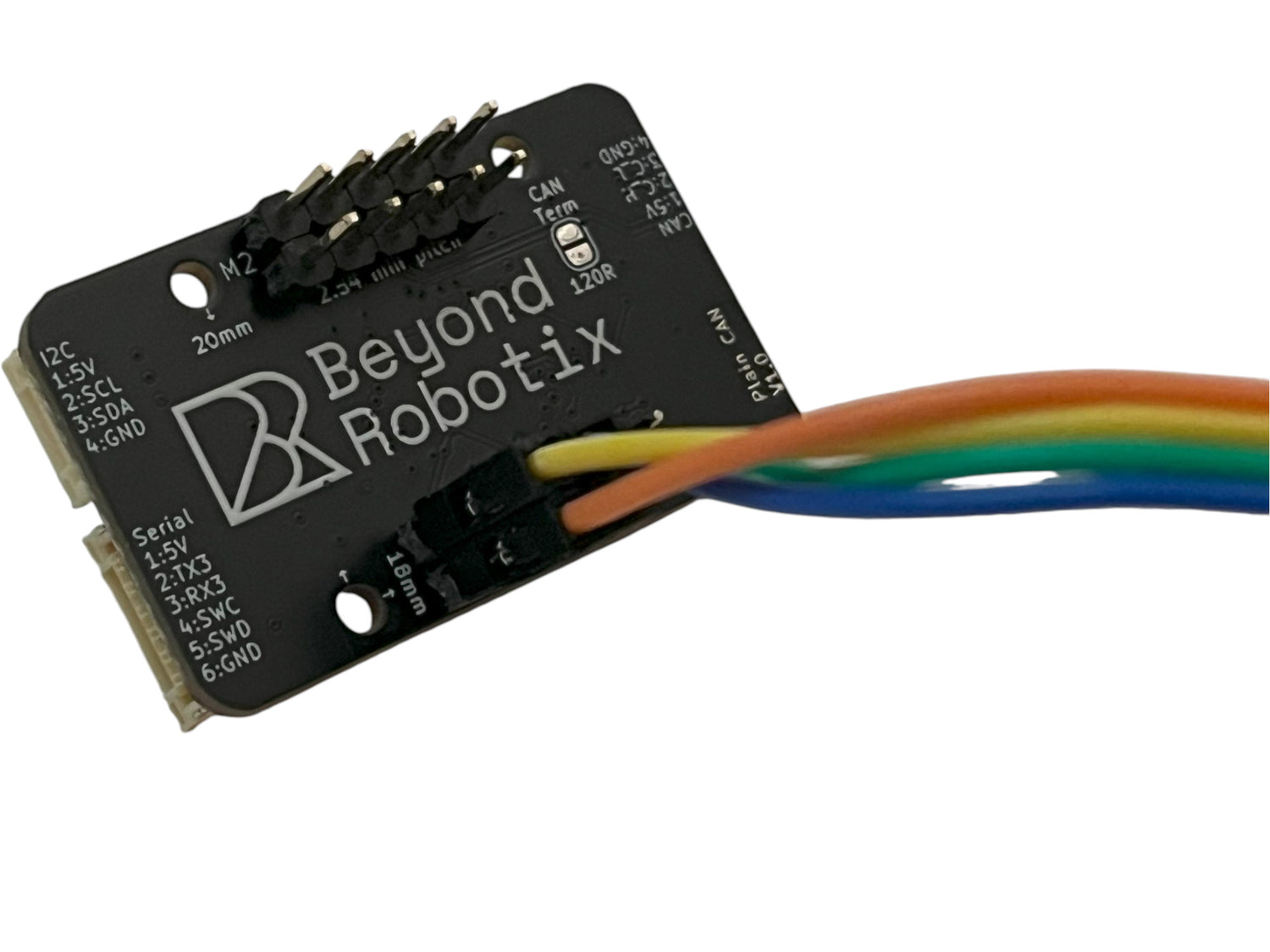
Everything You Need Pinned Out
All key IO (5 PWMs, 5 ADCs, Serial, CAN, I2C, 5v, 3v3) available on the 2.54mm pitch breakout, so you can solder the CAN Node into your project.
Note: not all can be used at once, PWM/ADCs share some of the same pins. See the documentation for more information.
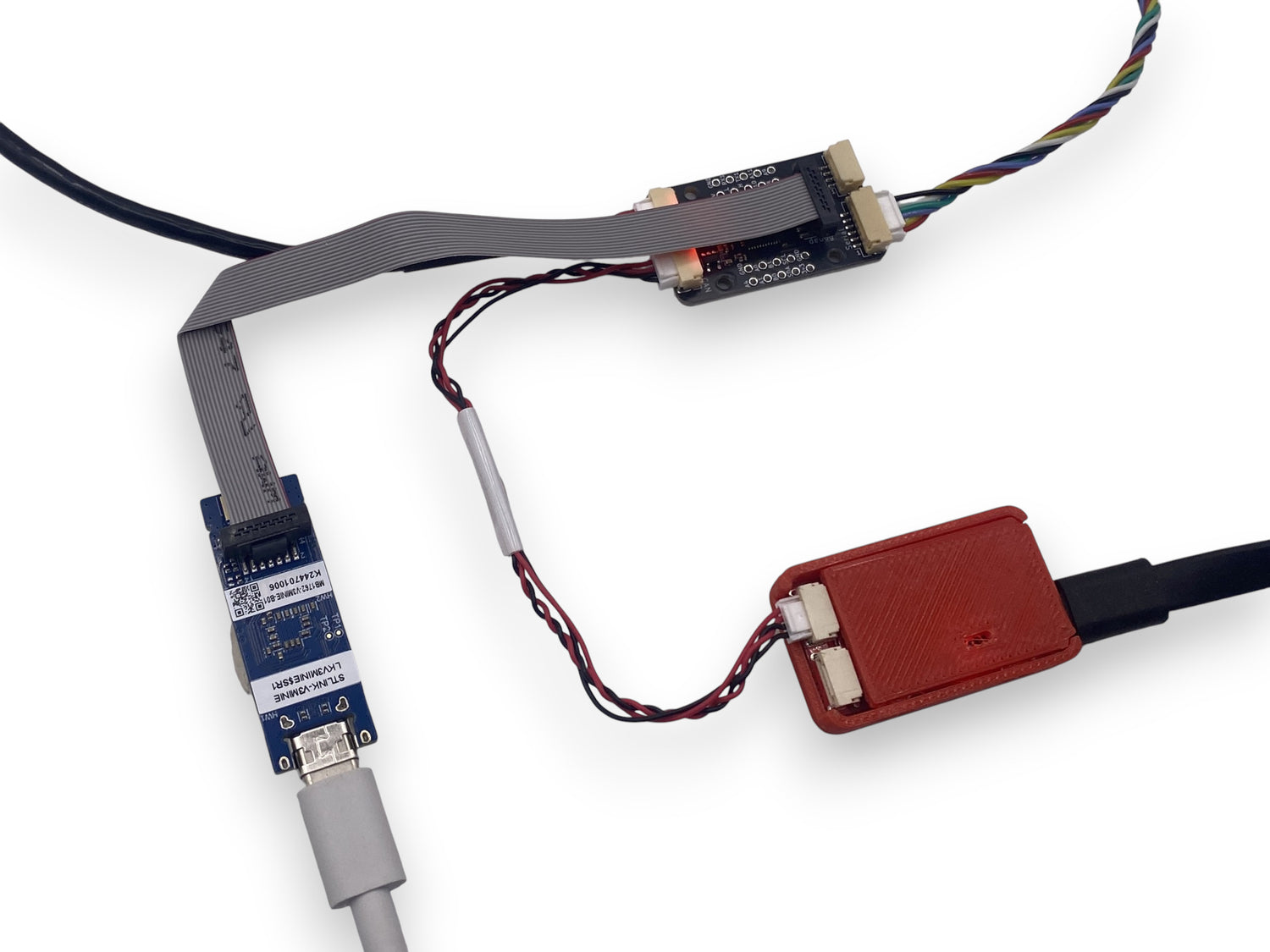
Painless Development
SWD + Serial header compatible with STLINK V3 Minie for breakpoint debugging and console access. The same debug interface used across all Beyond Robotix products.

Integrate Any Sensor
The Beyond Robotix CAN Node runs AP_Periph, but if your sensor isn't supported, you can get it up and running in minutes using Arduino DroneCAN with minimal boilerplate code.
Product is fine, but I wasn’t aware the shop is based in the UK and I fell into the post-Brexit import fees trap. Usually I check these things carefully, but the website didn’t make it clear enough that orders are shipped from outside the EU. Ended up paying unexpected customs. Something to keep in mind before ordering.
Thank you very much for your feedback Bart. We really appreciate you taking the time to let us know about your experience and how we can make it better! Regarding where the products are shipped from, there is a banner when you get to the cart that says 'You're almost there! Any sales from outside the UK may incur duty or taxes that will be charged by the courier through email.' We have made efforts to make this more noticable. It is important to note that you won't have been charged extra tax as we don't apply VAT on checkout for countries outside the UK.
However, as of this week, we are excited to announce that for orders from the EU (and more countries coming soon), we will be collecting all import duty at the checkout, so you will clearly be able to see the total price when placing the order. This should make sure there are no unexpected prizes for anyone in future!